 Features
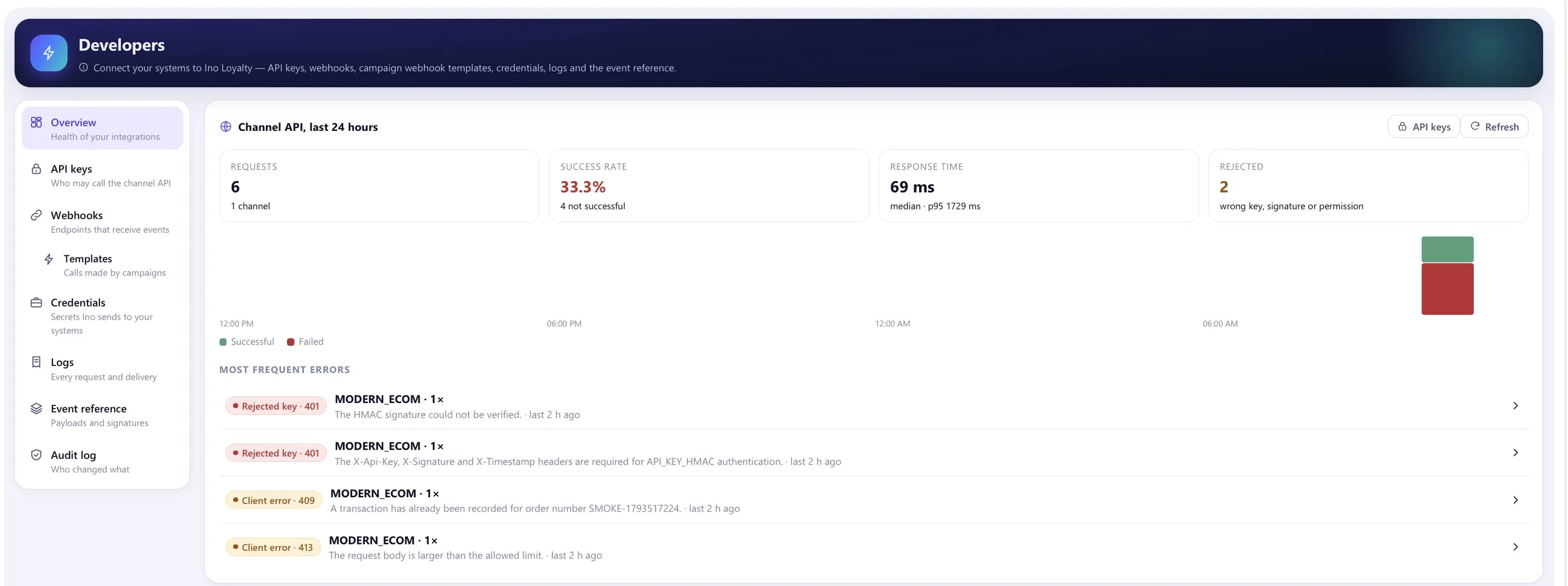
Program Designer
Set up your loyalty program step by step, the way your business works. The rules live in a screen your team owns, not in code.
- Eight guided steps: program, points and currency, earning, spending, expiry, offer rules, returns, review and publish
- Your program name and description, shown to members
- Point value, minimum redemption and the share of a basket points can pay for
- Welcome bonus and default validity for earned points
Points economy
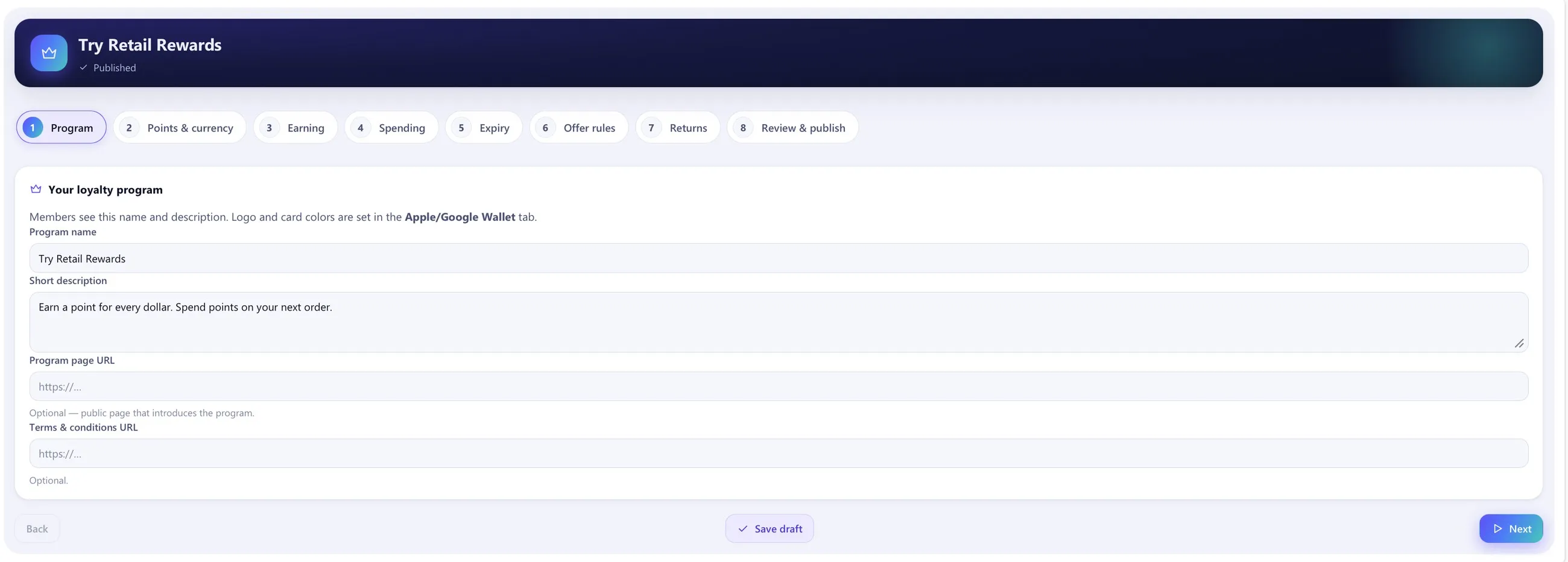
Know what your program owes and where points go, at a glance.
- Outstanding points and the liability they represent
- Points earned, spent and expiring in the next 30 days
- Earned against spent over 7, 30, 90 days or 12 months
Tiers
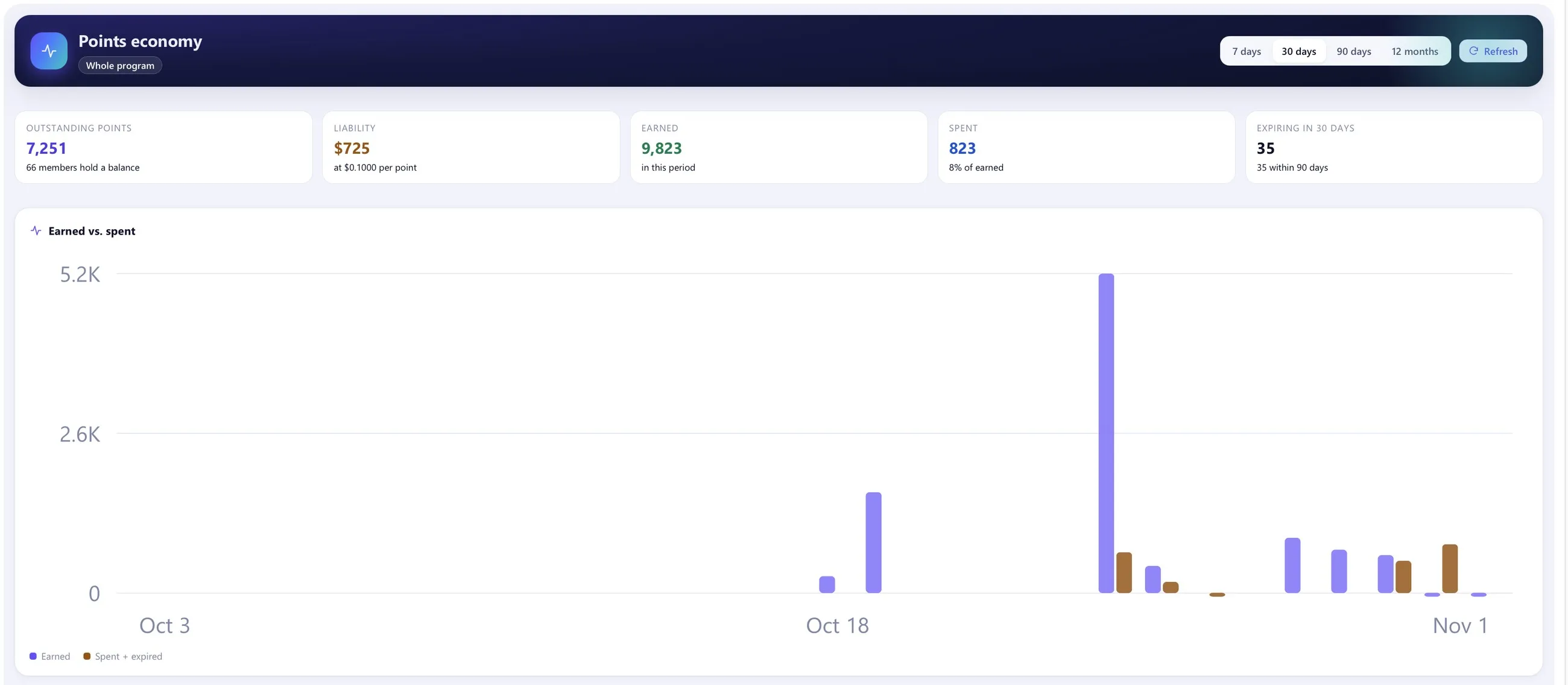
As many tiers as you want, with your own names, colours, rules and perks. Ino Loyalty ships with none, so nothing is decided for you.
- Rules on spend or number of purchases over a period
- Perks such as extra points, points worth more when spent, a discount on every order or vouchers on a schedule
- A grace period before a member drops a tier
- Evaluated automatically after purchases and every night
Campaigns
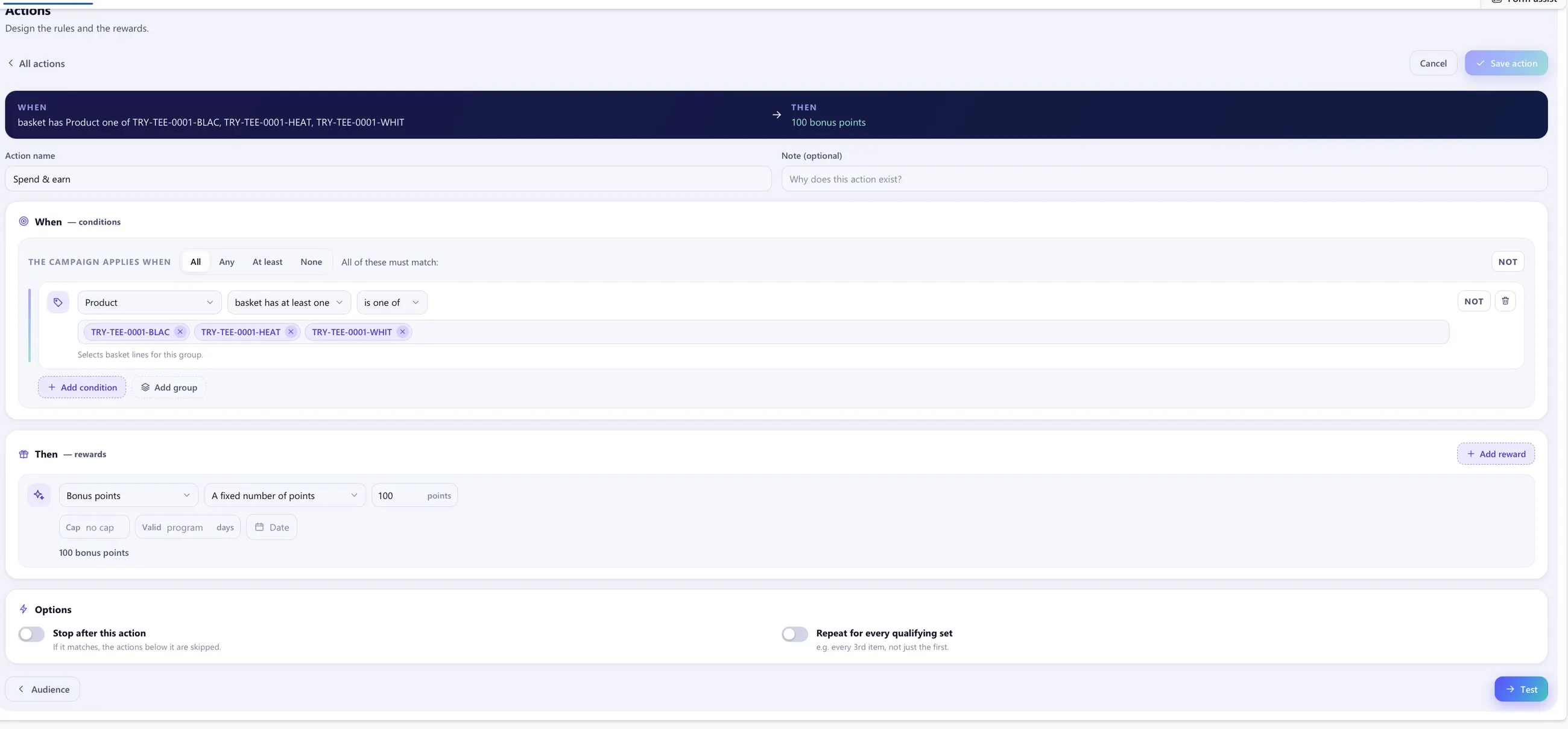
Five guided steps from idea to live: basics, audience, actions, test and publish.
- Points, discount, gift, voucher or mixed campaigns, on web, mobile and in store
- Include and exclude segments; exclusion always wins
- Schedules and blackout windows by day and hour
- “When this happens, give that”: nested rule groups with all, any, at least N and none
- Caps and validity per reward, and webhook calls to your own systems as a reward
- A test basket before anyone is affected, and approval before going live
Segments
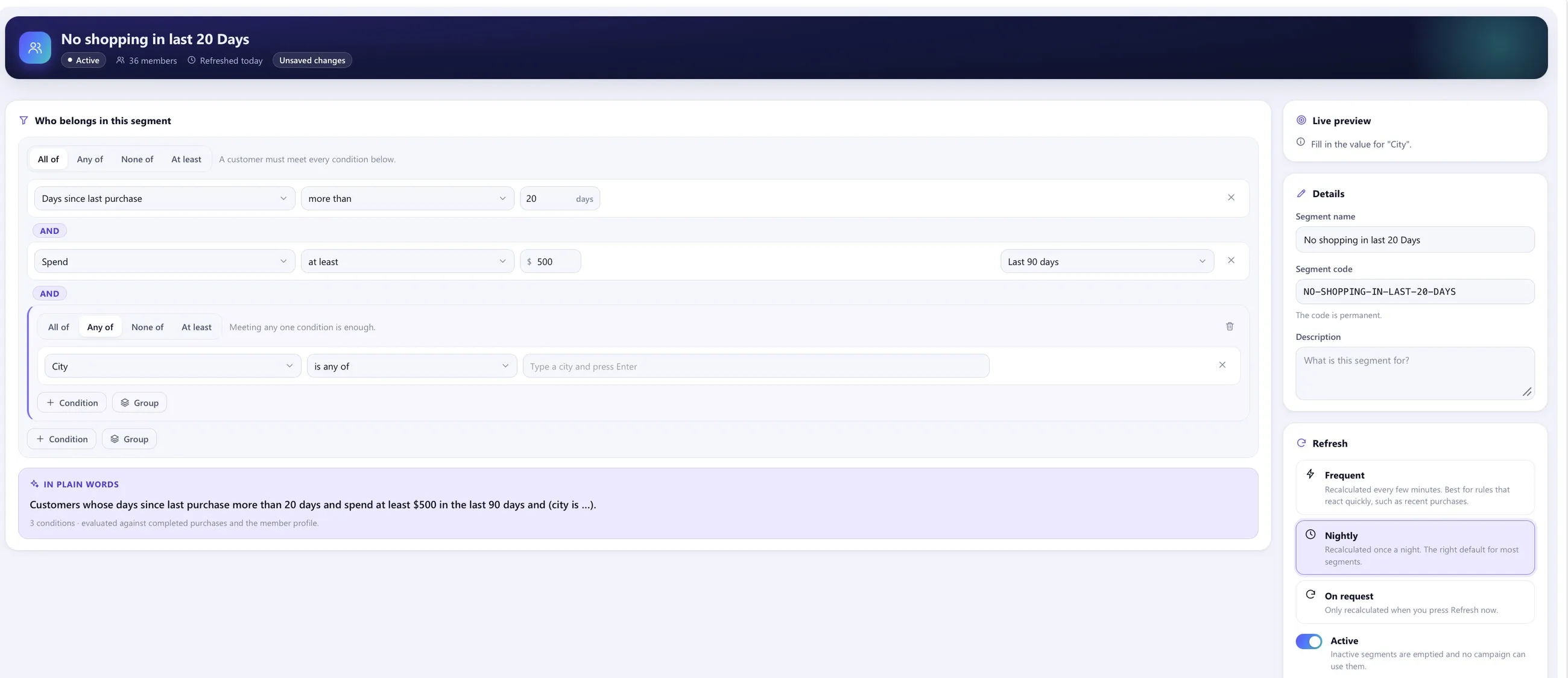
Build audiences from what customers actually do, and read every rule back as a sentence.
- Conditions on purchases, spend over a period and profile fields
- Groups with all, any, at least and none
- Refreshed every few minutes, nightly or on request
- Used by campaigns to include or exclude members
Vouchers
Run vouchers as batches: your own codes, or codes a partner gives you.
- Generate up to 100,000 codes or import up to 50,000 per batch
- Limits per customer and validity counted from assignment
- Free-item vouchers that make one product in the basket free
- Issued by campaigns and tiers, redeemed in every connected channel
Customer 360
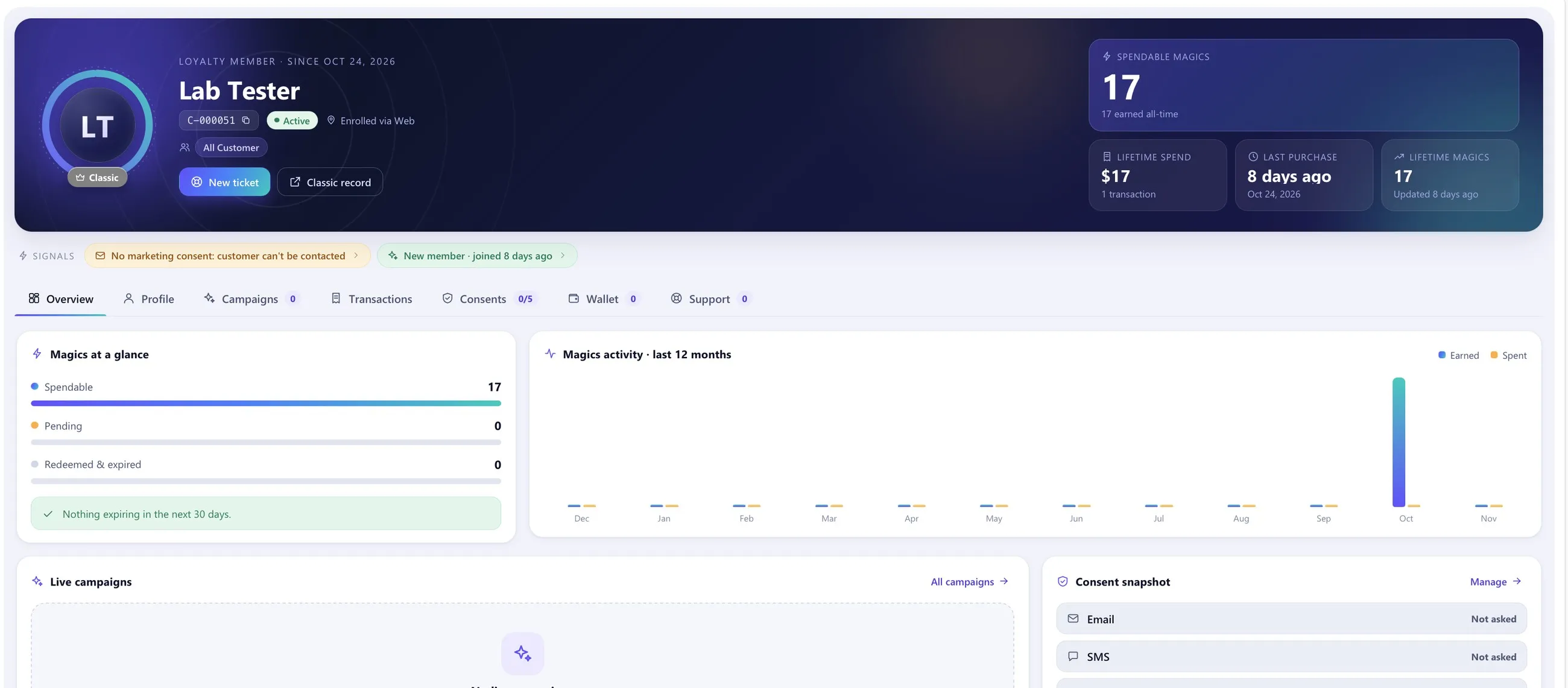
One view of every member for your service and CRM teams.
- Balance, tier, lifetime spend and last purchase at the top
- Tabs for profile, campaigns, transactions, consents, wallet and support
- Signals such as “no marketing consent” or “new member”
- SMS-verified sign-up with a welcome message
Apple Wallet cards
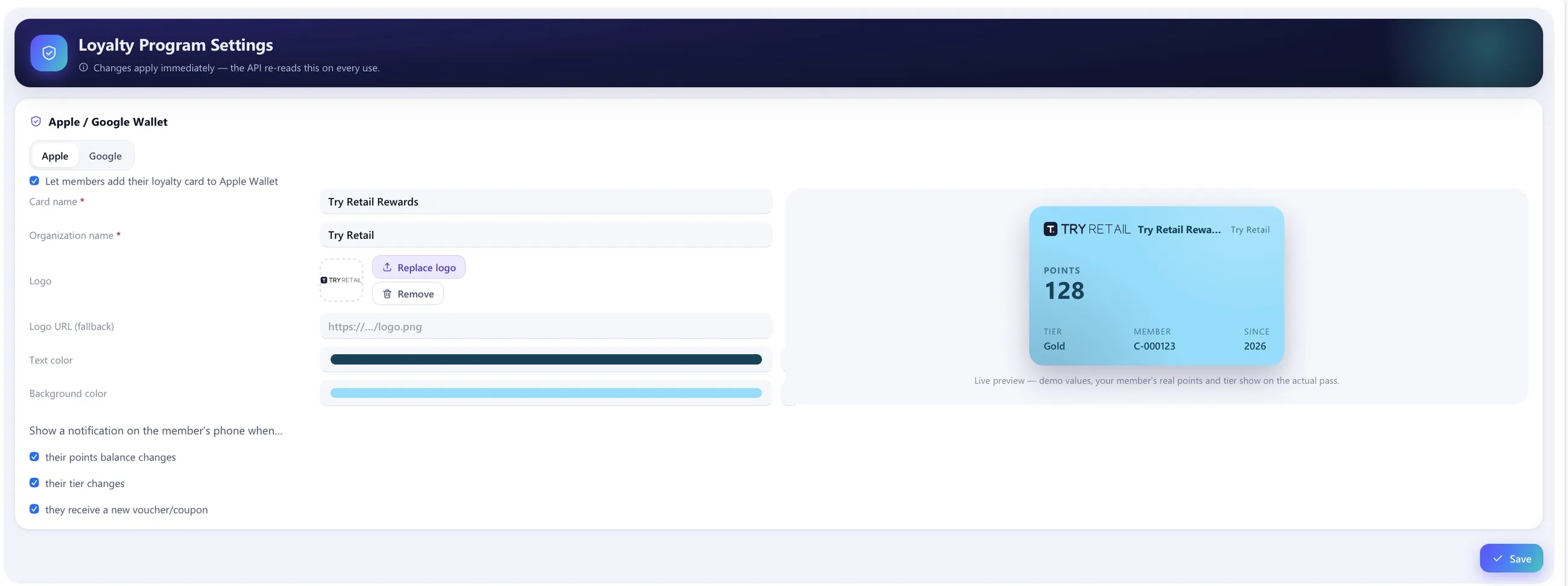
Members add their loyalty card to Apple Wallet, in your brand, without a separate app.
- Your logo, card name and colours, with a live preview
- The card updates itself when points, tier or vouchers change
- Optional notifications on the member’s phone
Return policies
Decide once what happens to discounts, points and vouchers when an order is returned or cancelled.
- Start from a template, customise only when you need to
- Customer-friendly by default: no extra charge to the customer when in doubt
- Earned points taken back, spent points given back, vouchers handled by the same policy
Insights and data
See who took part in what, and take your data where you analyse it.
- Participation per member and campaign
- Campaign reports and a program summary
- Incremental Parquet exports of transactions and customer facts for your data lake or BI
Privacy desk
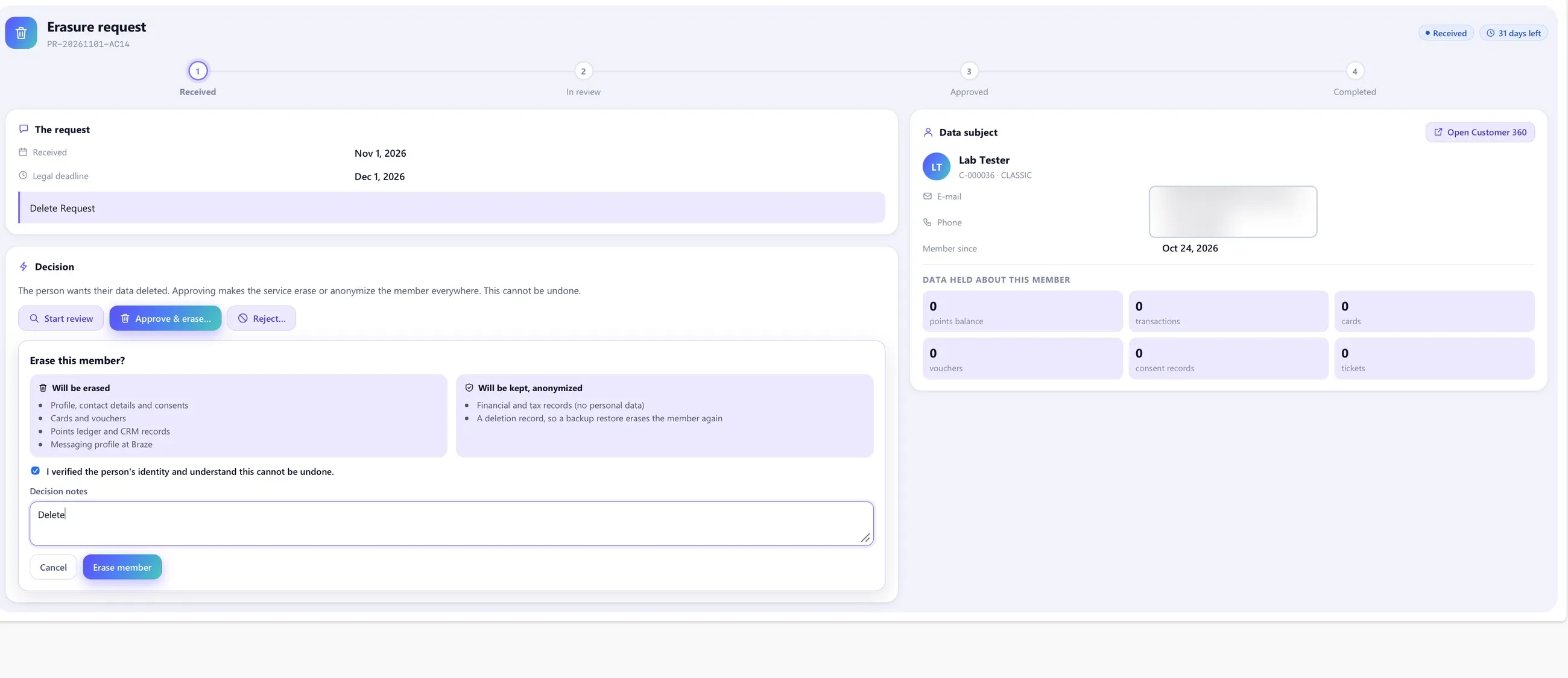
Handle erasure requests with a clear review step, built for KVKK and GDPR processes.
- Received, in review, approved, completed, with the legal deadline in view
- Erases or anonymises the member everywhere: ledger, vouchers, cards, CRM records
- Keeps only the anonymised financial records the law requires
- Consent history per channel
For developers
A console for your IT team: API keys, webhooks, logs and an audit trail.
- API keys per channel, limited to IP addresses and revocable without a deployment
- Webhook endpoints with event filters and test deliveries
- Request and delivery logs, and who changed what