 Ino AI
Campaign Assistant
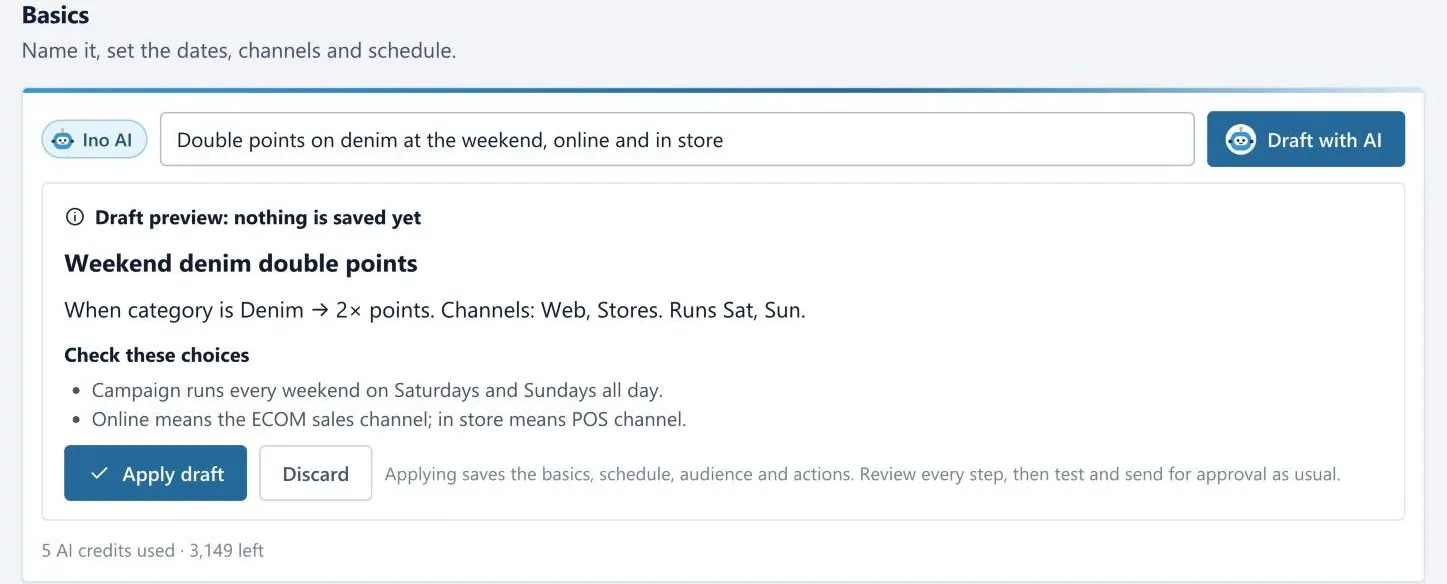
Write what you have in mind the way you’d say it to a colleague: “double points on denim at the weekend, online and in store”. Ino AI fills in the campaign and shows you what it understood before anything is saved.
- Picks the real category, channels and days from your program
- Lists the choices it made, so you can check them at a glance
- Says so plainly when part of the request isn’t something a campaign can do
- Apply the draft, then test and approve it like any other campaign
Campaign ideas
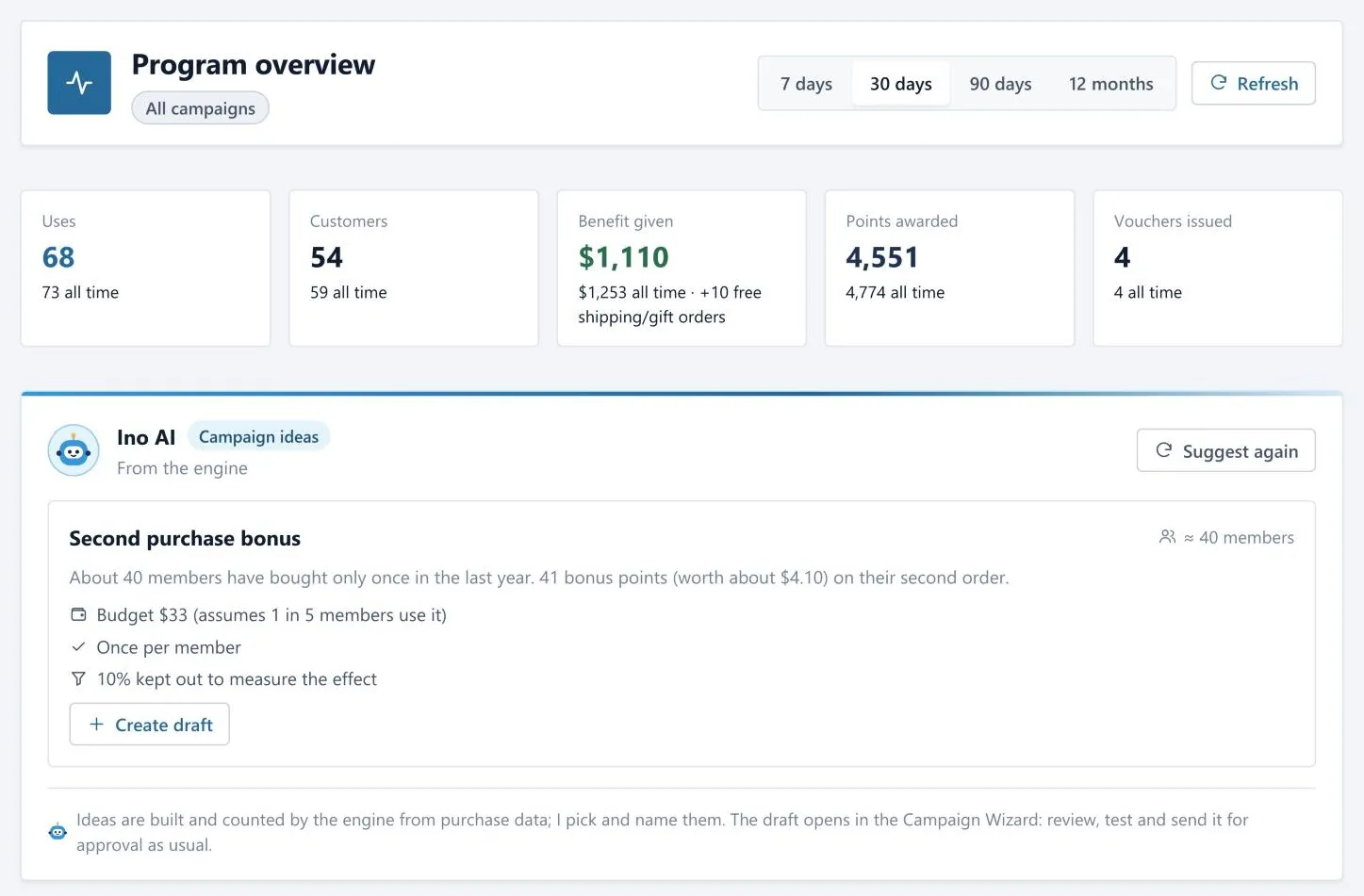
Ino Loyalty looks at who buys, who stopped and who never came back for a second order, and turns that into a short list of campaigns worth running.
- The engine finds and counts the groups; Ino AI picks the best ones and names them
- Each idea comes with a budget, a once-per-member limit and a hold-out group
- One click opens it as a draft in the Campaign Wizard
Segment Assistant
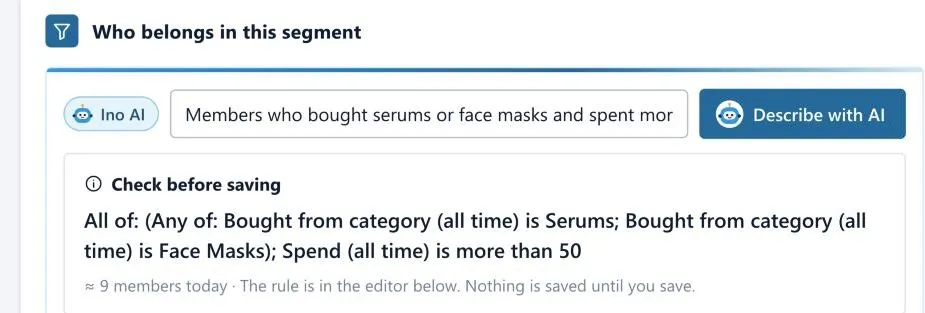
Describe the customers you want in plain words and get a working segment rule back, along with how many members it matches today.
- Uses your own categories, tiers and channels
- You see the member count before you save anything
- If something can’t be written as a rule, it tells you instead of guessing
Before approval
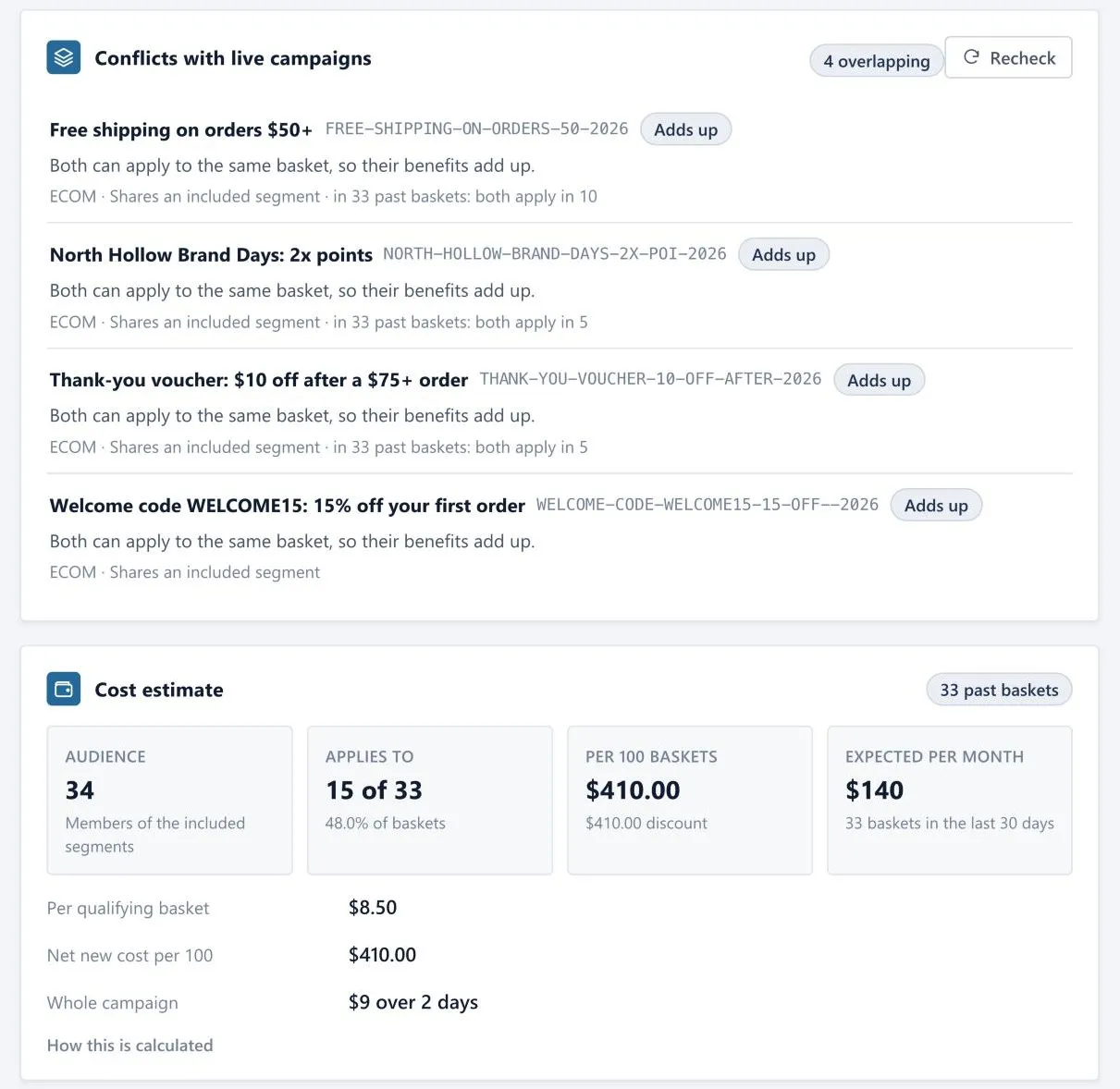
Approvers shouldn’t have to read rule trees. Before a campaign goes live, Ino Loyalty runs recent baskets through it and Ino AI sums up the result in a few sentences.
- Which live campaigns hit the same baskets, and whether their benefits add up
- Expected cost per basket, per month and for the whole run
- A short summary in plain words for whoever signs it off
Ino AI Analyze
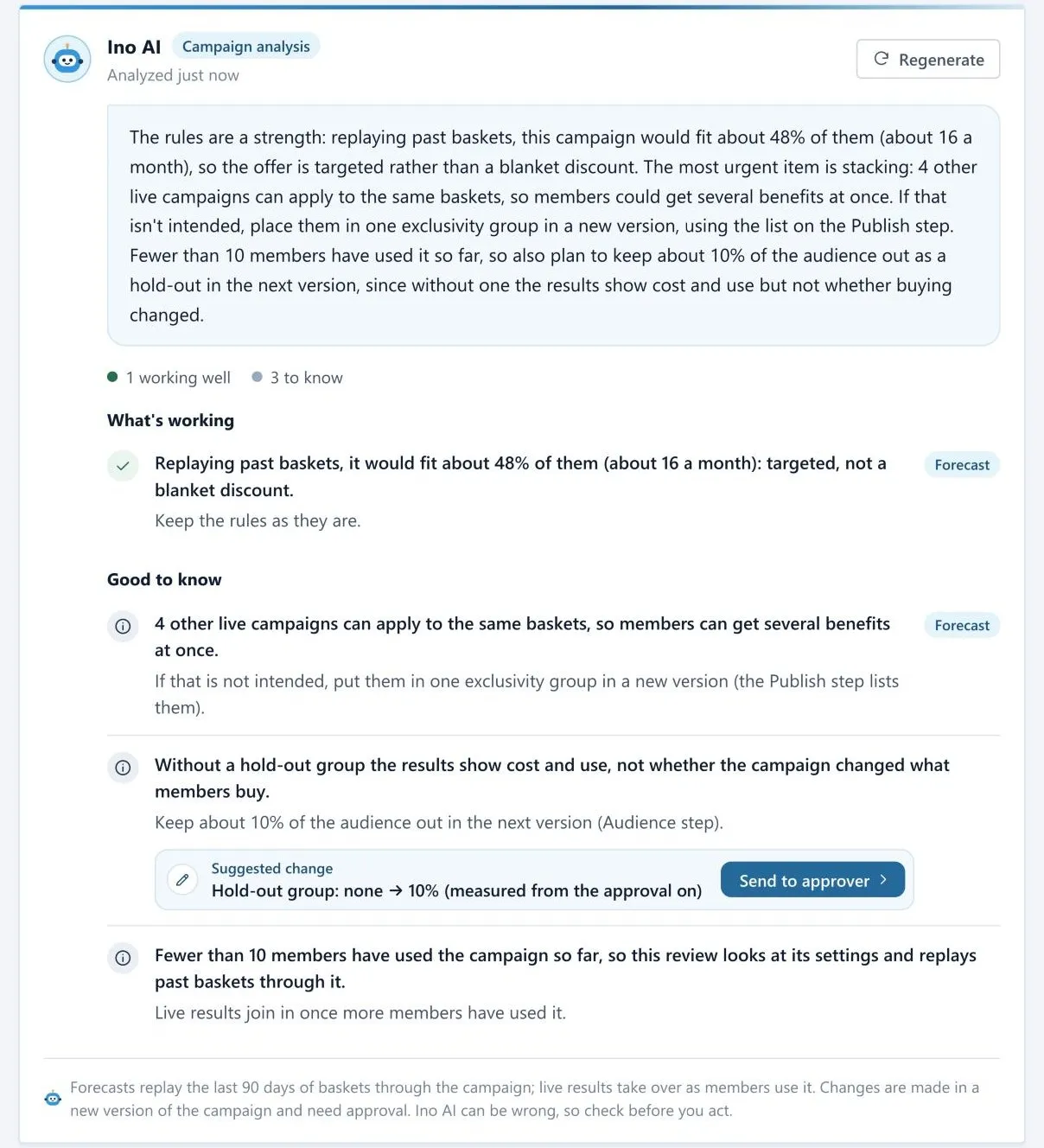
Open a running campaign and ask for a second opinion. You get what’s working, what to keep an eye on and one or two concrete changes.
- Findings on rules, pace, budget and overlaps come from the engine
- A suggested change goes to the approver as a new version, never straight to live
- No hold-out group? It tells you, because without one you can’t see what the campaign really changed
Program review
Checks your points rules against your members’ real orders. Here it spotted that members need 500 points before they can spend any, while an average order earns about 31.
- Earning, minimum spend, point value and expiry are looked at together
- “Use this” only changes your draft; you publish when you’re happy with it

Developer Agent
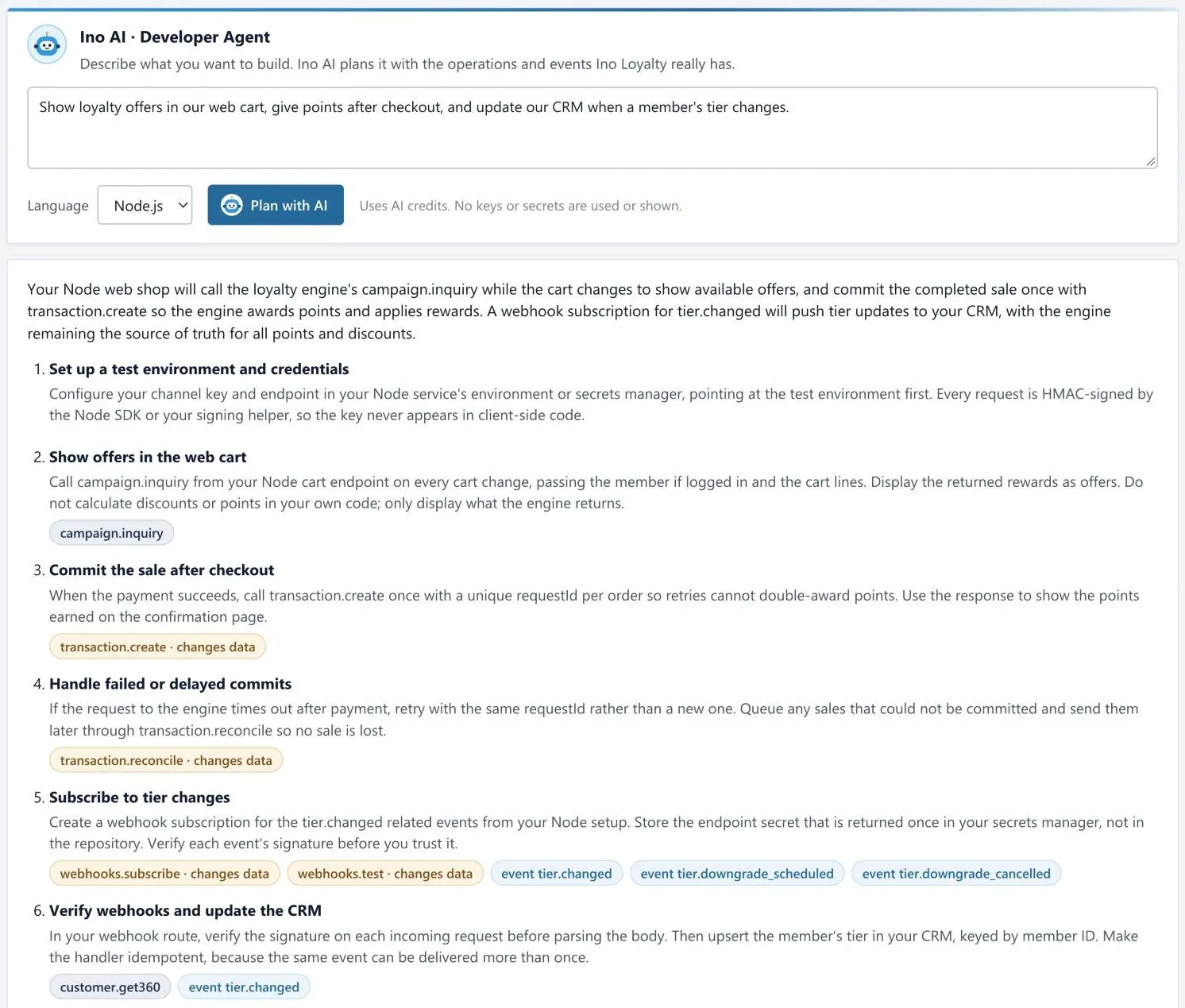
Your developers describe what they want to build and get a step-by-step plan that only uses operations and events Ino Loyalty actually has.
- Calls that change data are marked, and signing and retries are covered
- It can set up a paused webhook endpoint to test against
- When a call fails, the log explains why in plain words
Setup and memory
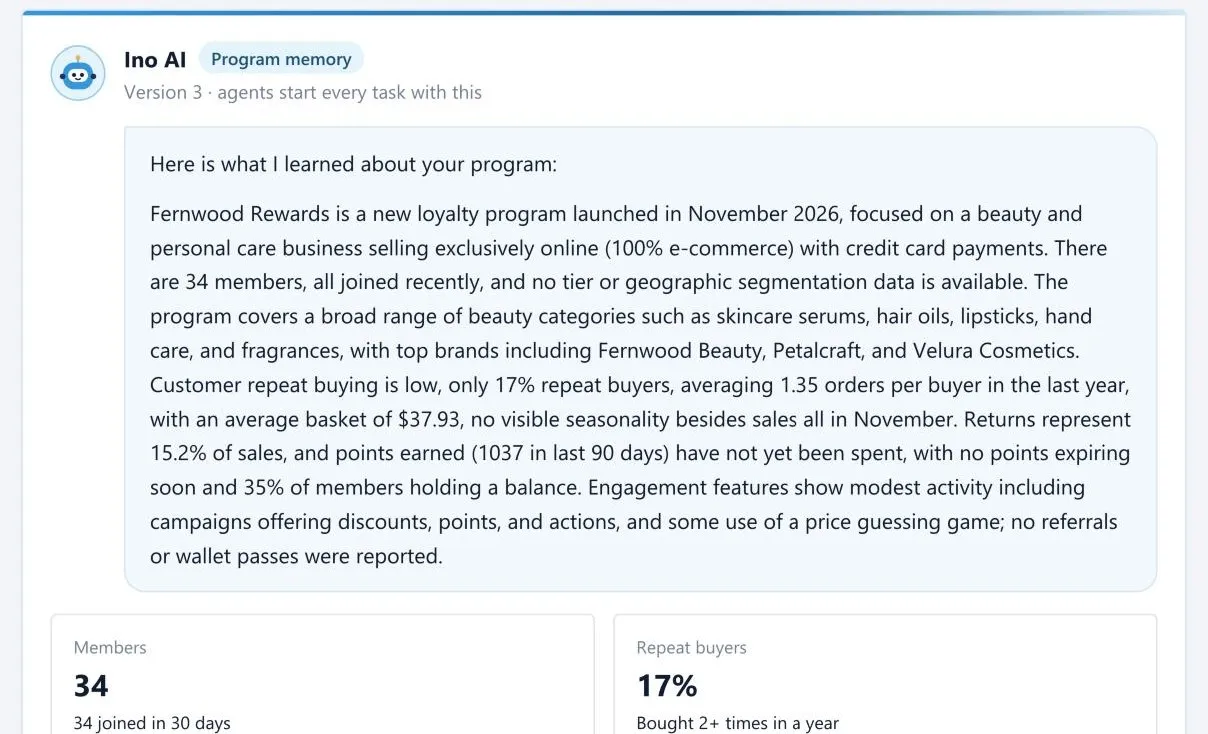
When you switch Ino AI on, it takes a minute to get to know your program: categories, brands, tiers, channels and how people buy. Every helper starts from there.
- Learns your categories, brands, tiers and channels
- Your team can add its own terms and notes
- Run it again whenever the program changes
Your controls
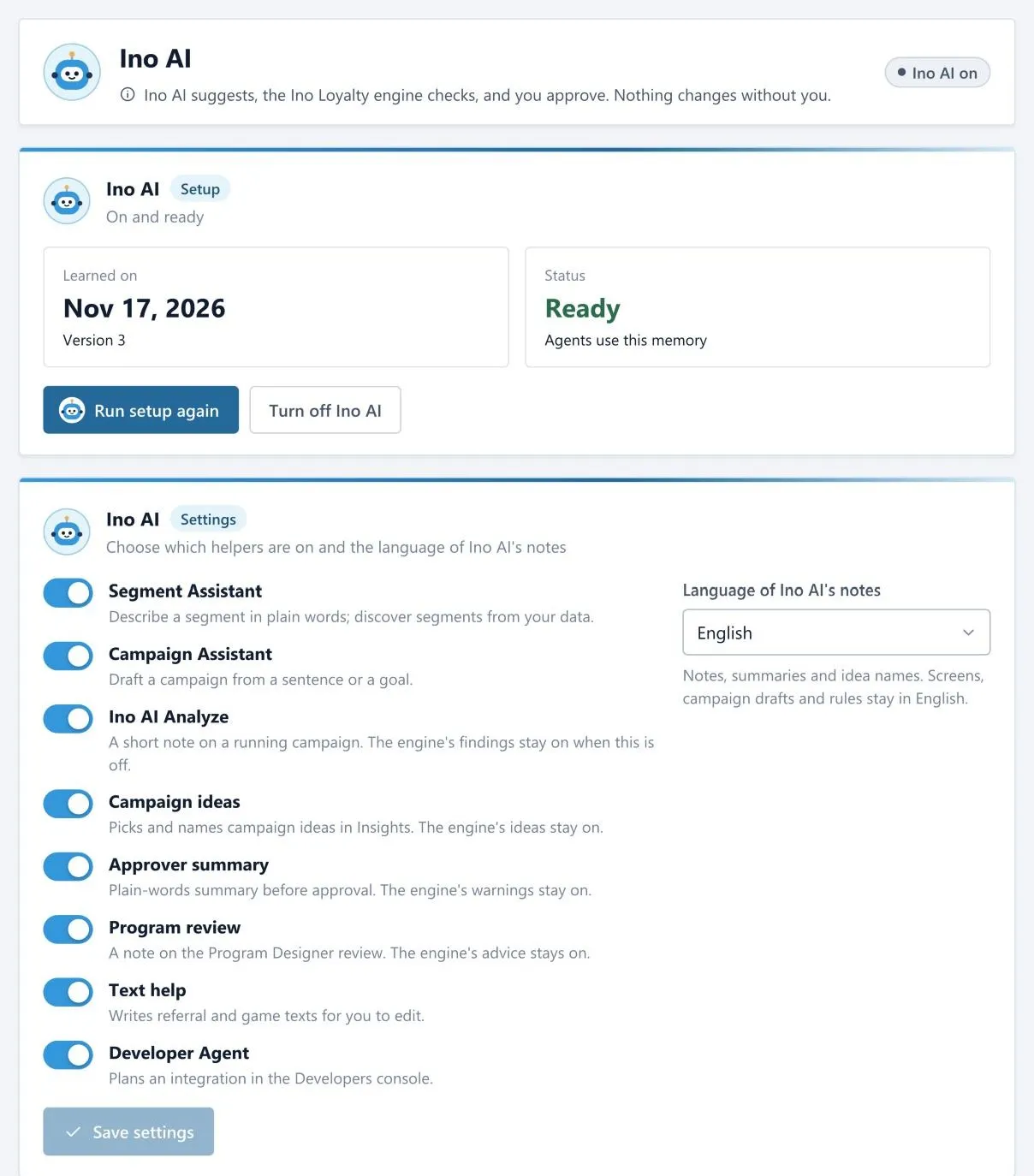
Every helper has its own switch. Turn off what you don’t need and choose the language Ino AI writes its notes in.
- A switch for each helper, from Segment Assistant to Developer Agent
- Notes in English or Turkish; screens and rules stay as they are
- Every plan includes monthly AI credits, and you can see what each helper uses
Model and region
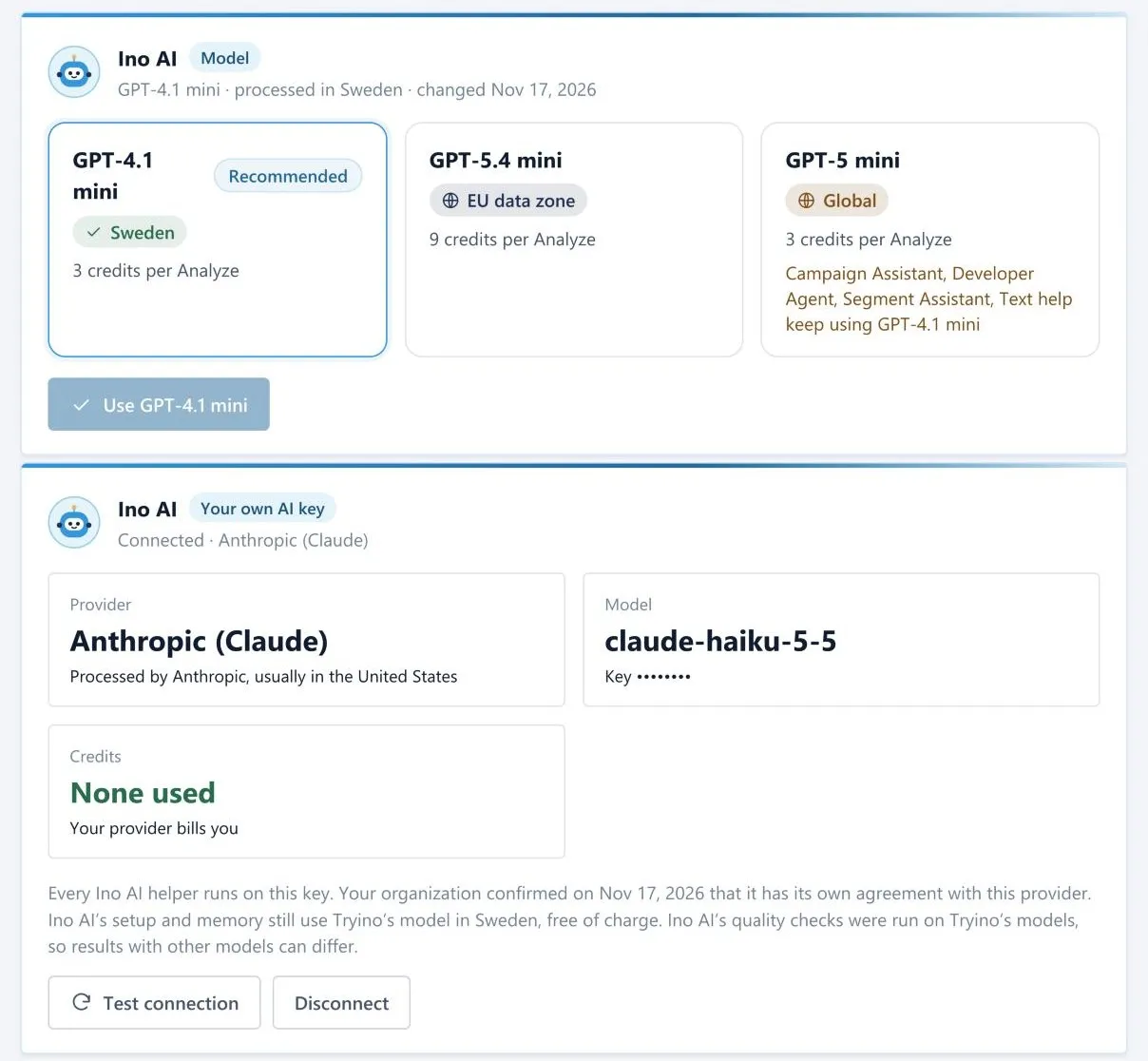
By default Ino AI runs in Sweden. If you’d rather use a different model, or your company already pays for one, you can switch.
- A recommended model processed in Sweden, plus EU data zone and global options
- Or connect your own Azure OpenAI, OpenAI, Anthropic or Google key
- With your own key, your provider bills you and no Ino AI credits are used